Personal Project

D&D Starting Item Generator

Background

Like most D&D fans, I spend way too much time daydreaming about characters, campaigns, and weird fantasy scenarios. One thing I kept noticing was that players often struggled with making their characters feel fun and grounded—without sliding into full meme territory.


The standard D&D starting gear wasn’t helping either. (No one’s getting hyped over a ten-foot pole) I wanted to create something that would spark their imagination right from the start—something a little quirky, a little chaotic, and way more inspiring than counting potions.

How I Made It Happen

I didn’t have much coding experience beyond the MySpace and Geocities days, so I turned to my trusty sidekicks: ChatGPT and Google Gemini.


With their help (and a lot of incredibly inefficient trial and error), I built a basic web app: static item lists and simple front end using GitHub and Netlify. Eventually, I leveled it up by hooking into OpenAI’s API so the output could be dynamic and not just from the static list.


After getting the basics working and staring at the ceiling for hours, I finally got in Figma to design the visuals. I kept the project intentionally small (so I wouldn’t quit) and after a lot of clumsy coding and questionable solutions, I got it live! I even leveled up my nerdom by setting up build scripts and tying them to my Steamdeck for one-click deploys, because yes please, efficiencies.

“The best starting item isn’t the most useful one.

It’s the one that makes you wonder where it came from.”
The Design

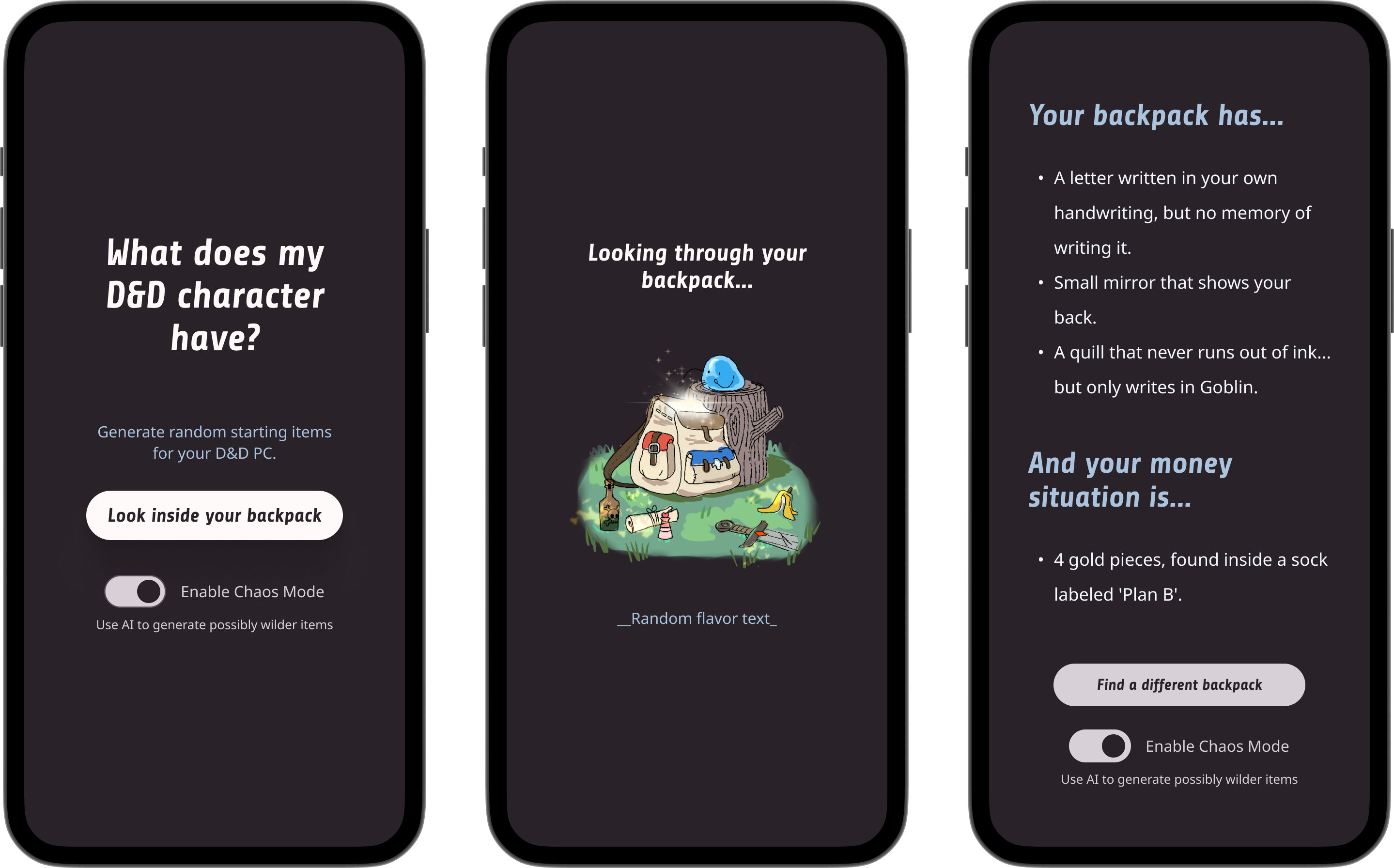
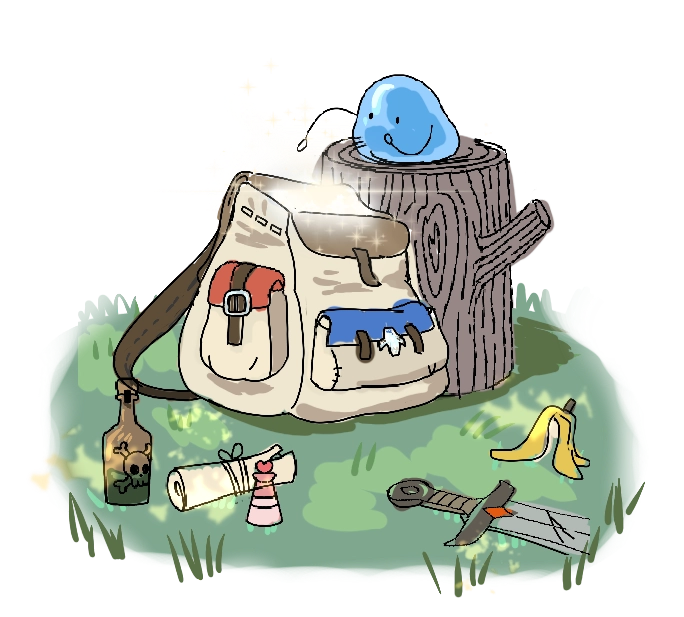
I kept the design really simple and minimal to make this an easy personal project to build and maintain. The landing page is intentionally barebones, loosely inspired by sites like "Who the Fuck is My D&D Character?" and others like it. The loading screen isn’t technically needed for the preset items since it loads almost instantly, but I added it anyway to make it feel like the app is "thinking." For the Chaos (AI) mode, it actually does take longer, so it became useful in that context too.


I wanted the whole experience to feel fun and immersive, so I included randomized flavor text to help set the tone and reinforce the theme. The results screen is also kept simple, since the main draw is the text output and I wanted to make sure it was easy to read. I separated items and coins for clarity and put the share/export button first, since I don't expect people to generate a bunch of sets in a row. The preset item pool isn’t huge, and I didn’t want users to run into too many repeats.


That’s part of why I added the AI-powered Chaos Mode. It gives users a way to keep generating fun, unique results without leaving the app. Sure, they could go use any AI service, but I wanted to make the experience feel flavorful and true to the theme. I went back and forth on whether to show the AI option right away or only after generating results, but in the end, I surfaced it on the homepage too. It felt more consistent and helps returning users find it faster.

What I Learned

Building this taught me a whole new level of respect for developers. Even tiny changes could turn into hours of debugging. This was a pretty small project, but starting from zero made every step a learning curve.


At the same time, it made me super excited about where tech is headed. The fact that I could piece together a working React web app with no prior experience (and for free!) is amazing. It made me realize how accessible creative building is becoming—and it left me really motivated to tackle even bigger ideas next time.

Personal Project

D&D Starting Item Generator

Background

Like most D&D fans, I spend way too much time daydreaming about characters, campaigns, and weird fantasy scenarios. One thing I kept noticing was that players often struggled with making their characters feel fun and grounded—without sliding into full meme territory.


The standard D&D starting gear wasn’t helping either. (No one’s getting hyped over a ten-foot pole) I wanted to create something that would spark their imagination right from the start—something a little quirky, a little chaotic, and way more inspiring than counting potions.

Give it a try! →

What’s in your pack?

How I Made It Happen

I didn’t have much coding experience beyond the MySpace and Geocities days, so I turned to my trusty sidekicks: ChatGPT and Google Gemini.


With their help (and a lot of incredibly inefficient trial and error), I built a basic web app: static item lists and simple front end using GitHub and Netlify. Eventually, I leveled it up by hooking into OpenAI’s API so the output could be dynamic and not just from the static list.


After getting the basics working and staring at the ceiling for hours, I finally got in Figma to design the visuals. I kept the project intentionally small (so I wouldn’t quit) and after a lot of clumsy coding and questionable solutions, I got it live! I even leveled up my nerdom by setting up build scripts and tying them to my Steamdeck for one-click deploys, because yes please, efficiencies.

“The best starting item isn’t the most useful one.

It’s the one that makes you wonder where it came from.”

The Design

I kept the design really simple and minimal to make this an easy personal project to build and maintain. The landing page is intentionally barebones, loosely inspired by sites like "Who the Fuck is My D&D Character?" and others like it. The loading screen isn’t technically needed for the preset items since it loads almost instantly, but I added it anyway to make it feel like the app is "thinking." For the Chaos (AI) mode, it actually does take longer, so it became useful in that context too.


I wanted the whole experience to feel fun and immersive, so I included randomized flavor text to help set the tone and reinforce the theme. The results screen is also kept simple, since the main draw is the text output and I wanted to make sure it was easy to read. I separated items and coins for clarity and put the share/export button first, since I don't expect people to generate a bunch of sets in a row. The preset item pool isn’t huge, and I didn’t want users to run into too many repeats.


That’s part of why I added the AI-powered Chaos Mode. It gives users a way to keep generating fun, unique results without leaving the app. Sure, they could go use any AI service, but I wanted to make the experience feel flavorful and true to the theme. I went back and forth on whether to show the AI option right away or only after generating results, but in the end, I surfaced it on the homepage too. It felt more consistent and helps returning users find it faster.

What I Learned

Building this taught me a whole new level of respect for developers. Even tiny changes could turn into hours of debugging. This was a pretty small project, but starting from zero made every step a learning curve.


At the same time, it made me super excited about where tech is headed. The fact that I could piece together a working React web app with no prior experience (and for free!) is amazing. It made me realize how accessible creative building is becoming—and it left me really motivated to tackle even bigger ideas next time.

Personal Project

D&D Starting Item Generator

Background

Like most D&D fans, I spend way too much time daydreaming about characters, campaigns, and weird fantasy scenarios. One thing I kept noticing was that players often struggled with making their characters feel fun and grounded—without sliding into full meme territory.


The standard D&D starting gear wasn’t helping either. (No one’s getting hyped over a ten-foot pole) I wanted to create something that would spark their imagination right from the start—something a little quirky, a little chaotic, and way more inspiring than counting potions.

Give it a try! →

What’s in your pack?

How I Made It Happen

I didn’t have much coding experience beyond the MySpace and Geocities days, so I turned to my trusty sidekicks: ChatGPT and Google Gemini.


With their help (and a lot of incredibly inefficient trial and error), I built a basic web app: static item lists and simple front end using GitHub and Netlify. Eventually, I leveled it up by hooking into OpenAI’s API so the output could be dynamic and not just from the static list.


After getting the basics working and staring at the ceiling for hours, I finally got in Figma to design the visuals. I kept the project intentionally small (so I wouldn’t quit) and after a lot of clumsy coding and questionable solutions, I got it live! I even leveled up my nerdom by setting up build scripts and tying them to my Steamdeck for one-click deploys, because yes please, efficiencies.

“The best starting item isn’t the most useful one.

It’s the one that makes you wonder where it came from.”

The Design

I kept the design really simple and minimal to make this an easy personal project to build and maintain. The landing page is intentionally barebones, loosely inspired by sites like "Who the Fuck is My D&D Character?" and others like it. The loading screen isn’t technically needed for the preset items since it loads almost instantly, but I added it anyway to make it feel like the app is "thinking." For the Chaos (AI) mode, it actually does take longer, so it became useful in that context too.


I wanted the whole experience to feel fun and immersive, so I included randomized flavor text to help set the tone and reinforce the theme. The results screen is also kept simple, since the main draw is the text output and I wanted to make sure it was easy to read. I separated items and coins for clarity and put the share/export button first, since I don't expect people to generate a bunch of sets in a row. The preset item pool isn’t huge, and I didn’t want users to run into too many repeats.


That’s part of why I added the AI-powered Chaos Mode. It gives users a way to keep generating fun, unique results without leaving the app. Sure, they could go use any AI service, but I wanted to make the experience feel flavorful and true to the theme. I went back and forth on whether to show the AI option right away or only after generating results, but in the end, I surfaced it on the homepage too. It felt more consistent and helps returning users find it faster.

What I Learned

Building this taught me a whole new level of respect for developers. Even tiny changes could turn into hours of debugging. This was a pretty small project, but starting from zero made every step a learning curve.


At the same time, it made me super excited about where tech is headed. The fact that I could piece together a working React web app with no prior experience (and for free!) is amazing. It made me realize how accessible creative building is becoming—and it left me really motivated to tackle even bigger ideas next time.